Save web pages for research

Build a private, searchable archive of the papers, reports, and references behind your work — and cite web pages that don't change under you after publication.

For researchers

How researchers use PagePocket

Save web pages for research and cite pages that don't change.

Archive the papers you cite before they move

Journal pages get paywalled, restructured, or quietly corrected — often shortly after you read them. One click from your browser saves the exact version you are looking at, so the figure, paragraph, or dataset you cited stays exactly where you left it.
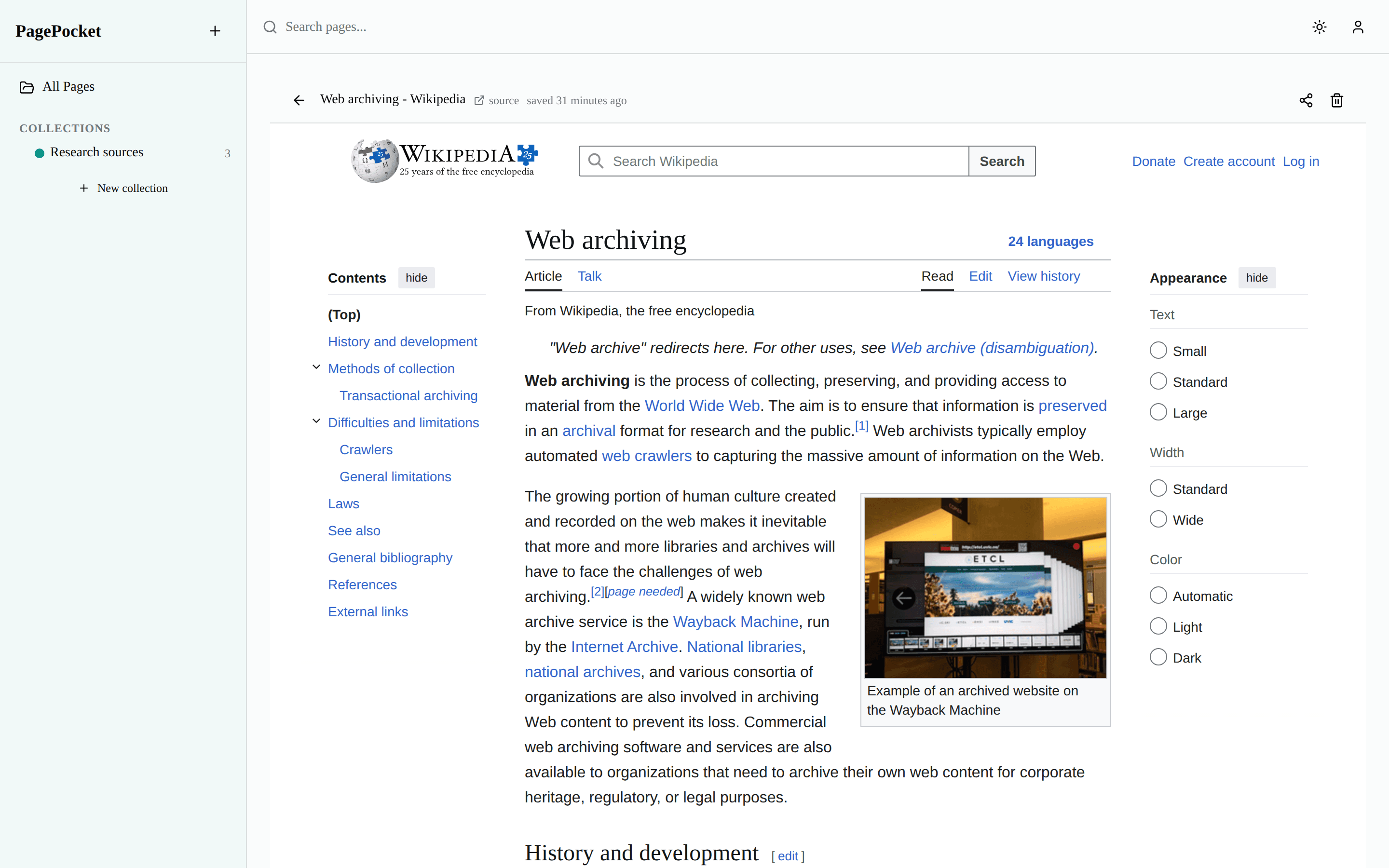
PagePocket viewer showing an archived Wikipedia article rendered with its original layout
The PagePocket viewer rendering an archived page with its original layout and styling — the demo library's saved copy of Wikipedia's “Web archiving” article.

Build a searchable reading list

Every saved page is full-text indexed, so “that passage about preservation” is one query away instead of buried in a bookmarks folder. Skim highlighted snippets, filter by collection, and open the saved page without re-googling it.

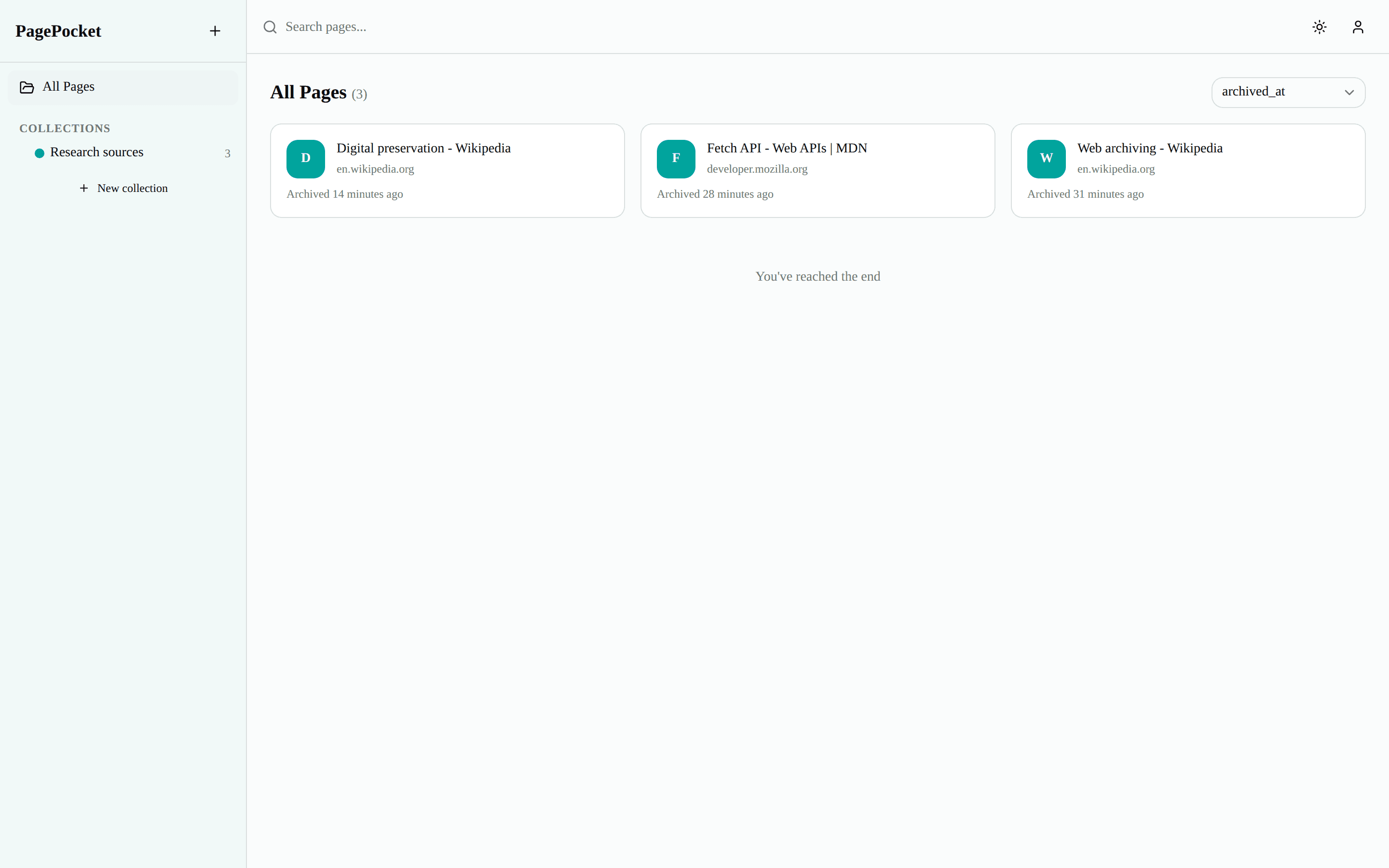
PagePocket library showing the Research sources collection with three saved pages
The PagePocket library: the demo account's “Research sources” collection with three saved pages in the sidebar and list.

Keep the evidence in your literature review intact

When a reviewer asks which version of a source you read, your archive answers. Search your library for a quoted phrase years later and reopen the saved copy — it shows precisely what the page said on the day you captured it.

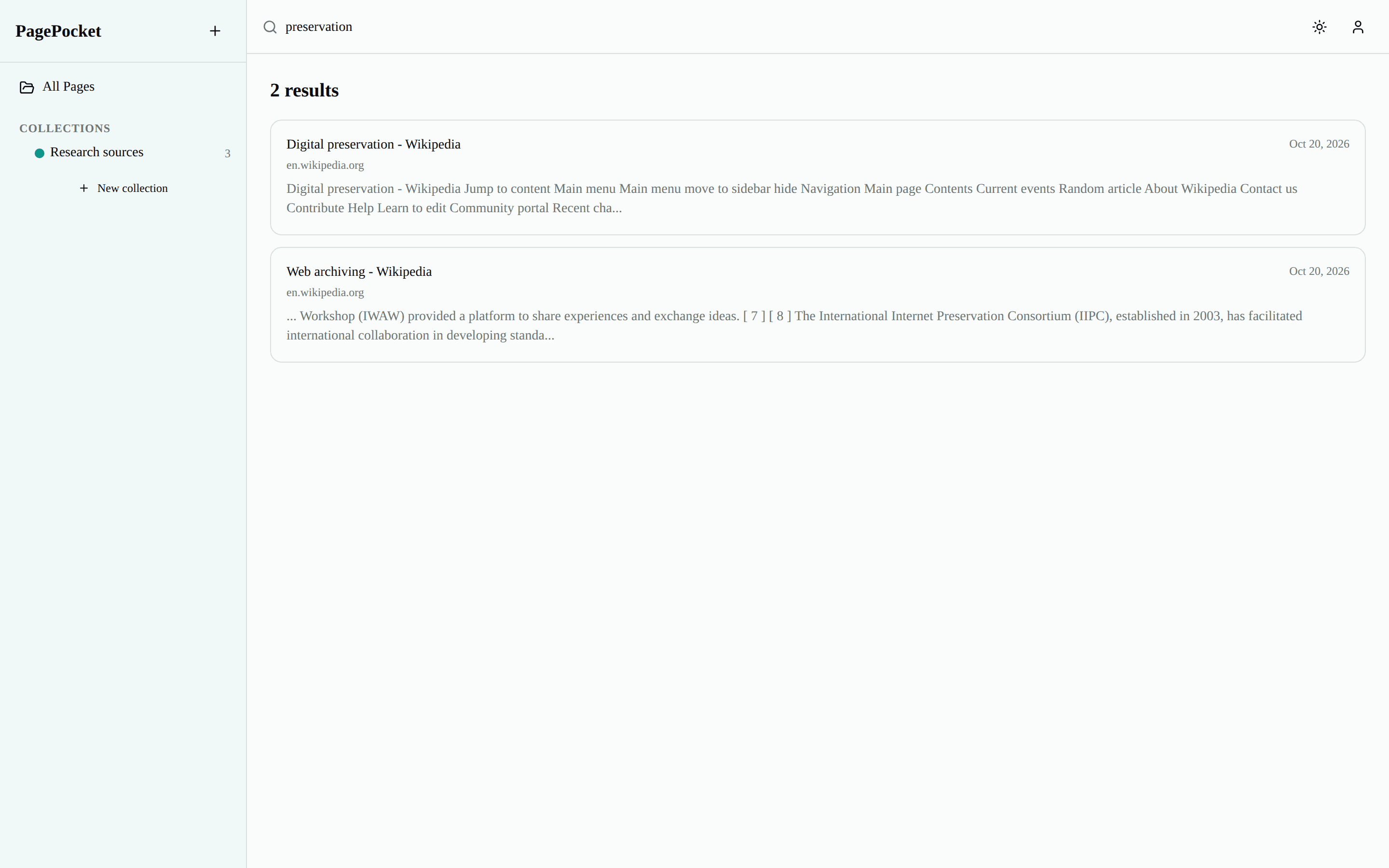
PagePocket full-text search results for a query with highlighted snippets
Full-text search in PagePocket: the query “preservation” returns the two demo pages that mention it, with highlighted snippets.

FAQ

Common questions from researchers

Can I cite a PagePocket link in a paper or report?
Your library itself is private, but any saved page can be shared with a public link — and share links can be set to never expire. If readers need to see a source you cite, share the snapshot and cite that link: it shows exactly what you saved, not whatever the live page says later. For formally certified citation archives, a dedicated service like Perma.cc may still be the better fit.
Does the saved copy keep figures, tables, and layout?
PagePocket saves the whole page as you can see it in your browser — HTML, CSS, and images — and the viewer renders it with the original layout and styling intact. One honest limit: for paywalled papers, you can only save what you are able to open.
Is my research library private?
Yes. Saved pages belong to your account and nothing is published to a public archive. The only way anyone else sees a saved page is a share link you create — which you can revoke at any time.
What does PagePocket cost?
The Free plan covers 50 page saves a month with 500 MB of storage, including full-text search, collections, and share links — enough to run the workflows on this page. Pro is $2/month (billed yearly, $24/yr) when you need a bigger library: more pages, 10 GB, and unlimited collections.

Never lose a source you cited

Start free — 50 pages/month, no credit card. Pro is $2/mo when you need more.